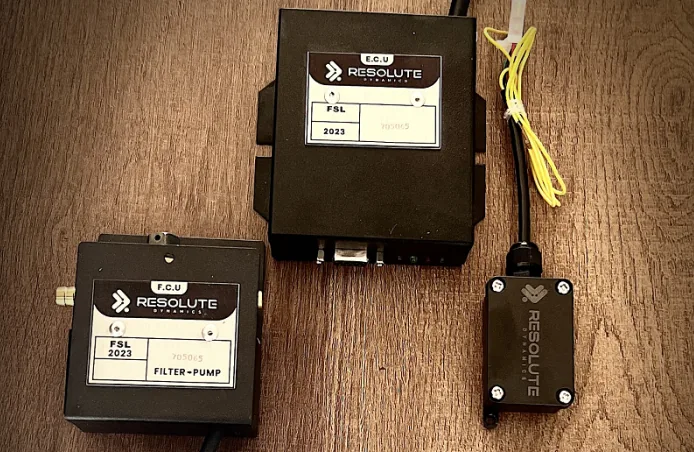
TL;DR: Treat every speed limiter failure log as legal and insurance evidence, not just a shop note. For each incident, you need hard technical data with accurate timestamps, a documented digital evidence chain of custody, and exports in formats lawyers, insurers, and regulators will accept. See how our speed limiter devices for commercial vehicles work.
Do that consistently and you give your fleet real protection against liability claims, coverage fights, and penalties from enforcement agencies.
Key Takeaways
- Speed limiter failure logs are evidence used in crashes, insurance disputes, and regulatory investigations, not just maintenance paperwork.
- Each incident record should capture timestamp, VIN, driver ID, GPS location, speed, failure event code, telematics snapshot, and post‑failure actions in a standardized way.
- For legal admissibility, you need a clear digital evidence chain of custody, digital signatures, and tamper‑evident storage, not just a spreadsheet on someone’s laptop.
- Insurers expect proof of speed limiter installation, maintenance history, and detailed incident documentation, plus proof you acted quickly once the failure was detected.
- Automated telematics logging and forensic exports are more defensible than manual reports, which are often delayed, incomplete, and subjective.
- Use a structured fleet incident report template with standard naming, version control, and export formats that line up with your local regulatory submission standards.
- Tools like the Resolute Dynamics failure log export and telematics data forensic export packages simplify litigation holds and give your lawyers ready‑to‑use data.
- Thin, inconsistent, or missing logs can look like negligence, push premiums up, and undercut your defense in court.
Quick Definition: What Is a Speed Limiter Failure Log?
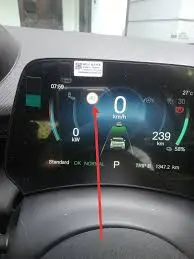
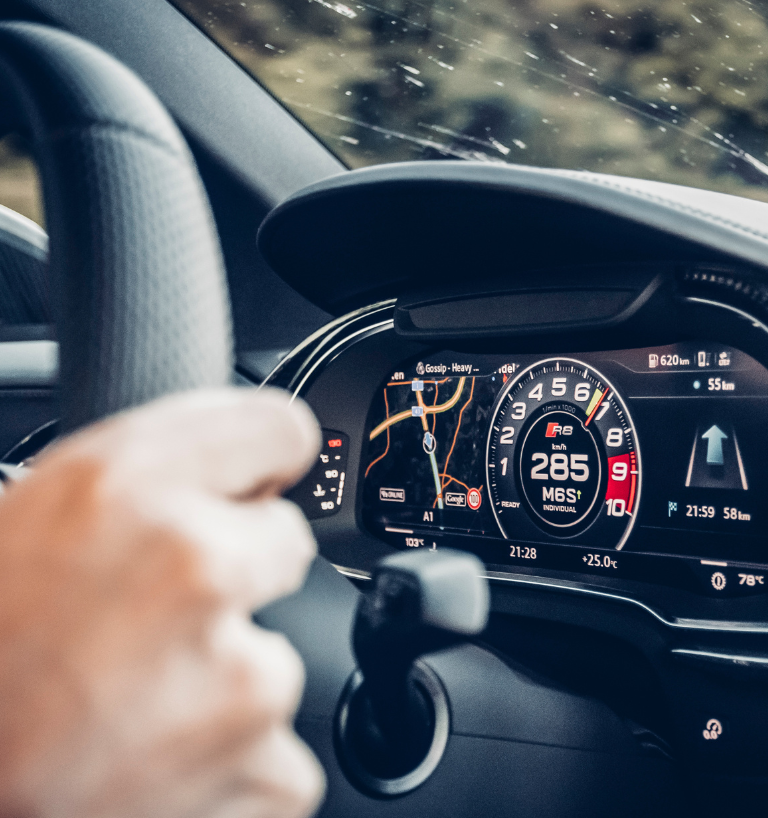
A speed limiter failure log (also called a speed governor failure report) is a structured record of any event where the vehicle’s speed limiter does not behave as configured. That includes not engaging at all, cutting out unexpectedly, being bypassed, or operating outside its set parameters.
A proper log ties together telematics data, driver and vehicle identifiers, timestamps, and what you did afterward, all in a format that legal, insurance, and regulatory teams can review and trust.
Why Proper Failure Logging Matters (Legal and Insurance Implications)
Speed limiter failure logs are not just paperwork to keep the shop happy. They are evidence that will be pulled apart line by line if a serious crash or high‑dollar claim hits your fleet.
In real cases, lawyers, adjusters, and regulators want to see what your records say about speed control, and how you reacted when something went wrong. If a collision involves excessive speed, expect these questions almost every time:
- Was a speed limiter actually installed and configured on that unit?
- Did the limiter fail, or did someone disable or tamper with it?
- Once the failure or anomaly showed up, how quickly did the fleet respond?
A well‑kept fleet compliance failure log lets you show, with evidence, that you ran a responsible operation. You can demonstrate that:
- You had a functioning limiter installed on the vehicle at the time of the trip.
- You followed a clear maintenance and function‑test schedule for that equipment.
- You responded promptly and in a documented way to any speed limiter incident report.
On the flip side, a messy or missing record trail hands the other side ammunition. Gaps and inconsistencies can be used to argue that your fleet has:
- Poor oversight or a weak safety culture around speed management.
- Failed to pull defective equipment out of service when issues were known.
- Looked the other way on warnings, or even intentionally disabled controls.
In practice, the fight in court or with an insurer often comes down to this. It is less about whether a failure ever happened, and more about whether you can prove, with solid documentation, how you handled it. Your log is that proof.
Important scope note: Here we are talking about logging and documentation. How to actually diagnose the failure or run a compliance audit on your install is covered separately.
What Data to Capture for Every Failure Event
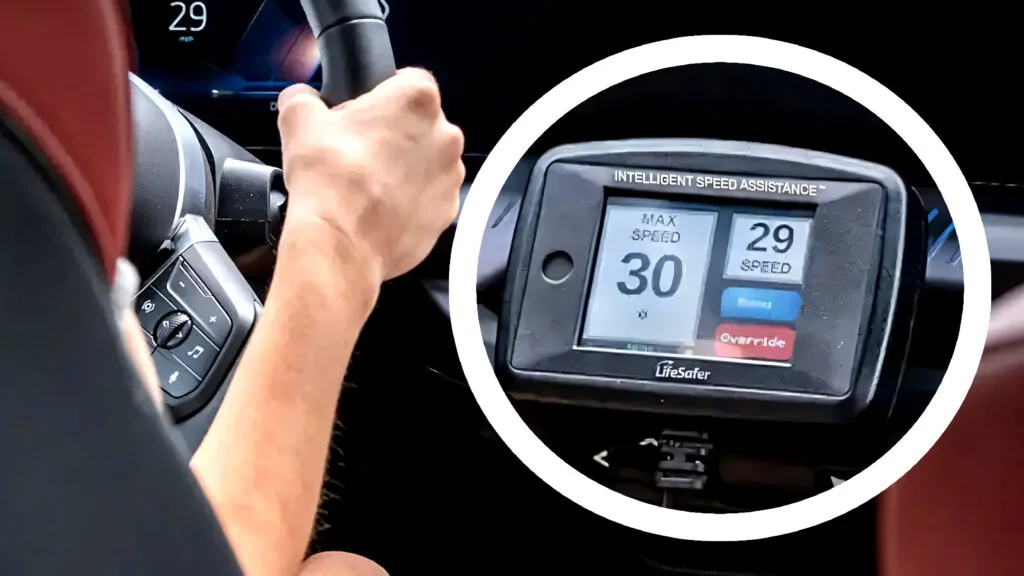
For every failure or suspected failure, you want hard facts, not stories. That means timestamp, VIN, driver ID, GPS location, speed at the event, failure type code, telematics snapshot, device maintenance context, tamper status, and what you did afterward. All of it needs proper timestamps and should live in an immutable record.
At minimum, every speed limiter failure documentation entry should contain the fields below. Building these into a standard fleet incident report template keeps your data consistent and avoids gaps when the pressure is on.
Core Identification Data
- Incident timestamp – Exact date and time of the failure, down to the second. Use a system synchronized to an NTP (Network Time Protocol) source so no one can claim your clocks were off.
- Incident ID – A unique reference number that ties together telematics records, shop work orders, claim files, and legal documents.
- Vehicle identification (VIN) – Full VIN, plus any internal unit number or license plate the fleet uses day to day.
- Driver identification – Driver ID card, employee ID, or license number. A name alone is not enough when people move between units or there are multiple drivers with similar names.
Location and Motion Data
- GPS location at failure – Latitude and longitude from telematics, and, if available, the road name or nearest intersection. That helps line up your record with police reports and maps.
- Speed at failure event – Actual vehicle speed at the point of failure, plus the configured limiter setting. This is often one of the first numbers lawyers and adjusters zero in on.
- Vehicle motion context – Direction of travel, type of road (interstate, secondary, school zone, yard, depot), and the posted speed limit if your system pulls that from map data.
Failure Classification & Technical Context
- Failure event code – Use a standard code such as “SLF-01: limiter not engaging,” or the OEM’s diagnostic trouble code. Consistent codes make analytics, trending, and downstream reporting far easier.
- Failure description – A clear one‑ or two‑line summary in plain language, for example, “Limiter disengaged above 65 mph southbound on I‑75 during cruise.” Keep it factual and specific.
- System state snapshot – Pulled from your telematics data export for the event window:
- Engine RPM and throttle position, which show how hard the vehicle was being driven.
- Brake status and cruise control status, useful to separate driver behavior from hardware issues.
- Limiter enable/disable flag at that exact moment.
- Any critical fault codes active in the engine, transmission, brake, or body control ECUs.
- Tamper detection log status – Whether the system flagged broken seals, configuration changes, harness disconnections, or use of unauthorized calibration tools. This is where your tamper detection log starts to matter.
If you want deeper detail on the physical side of tamper evidence like seals, covers, and hardware, use that guide. In this context you just need a consistent “tamper status” field, every time.
Maintenance and History Context
- Device installation details – Limiter manufacturer, model, firmware version, and the original install date. If an aftermarket installer handled it, note their details too.
- Maintenance history correlation – Cross‑references to:
- The last scheduled inspection or function test and its date.
- Recent repairs, component swaps, or firmware updates that touched the limiter or related systems.
- Any prior failures linked to the same vehicle, limiter, or installer.
- Open work orders – Whether there was already a pending job related to limiter performance, wiring, ECUs, or speed complaints at the time of the event.
Post-Failure Response and Risk Controls
- Immediate driver actions – Short driver statement, plus whether they slowed, pulled over, contacted dispatch, or continued under instructions. Also note if the unit was placed out of service.
- Dispatch/manager instructions – For example, “Instructed driver to exit highway, return to main depot via surface roads, speed capped at 45 mph,” or “Directed unit to nearest approved shop.”
- Technician assessment – A brief summary once the vehicle reaches the workshop, such as “verified limiter intermittent fault, downloaded ECU logs, pending parts.” Leave the deep diagnostic procedure in your shop system.
- Corrective action taken – Recalibration, harness repair, module replacement, software patch, or configuration change. Mention dates.
- Vehicle release decision – Who cleared the vehicle back into service, when they did it, and under what conditions (for example, temporary speed cap, test drive complete, follow‑up inspection scheduled).
Evidence Attachments and Formats
- Telematics data forensic export – A raw data block covering a fixed window around the event, such as 15 or 30 minutes before and after, in a non‑editable format. That might be a PDF, a CSV with a stored hash value, or a proprietary signed export that your vendor supports.
- Resolute Dynamics failure log export – If you are running Resolute Dynamics or a similar platform, pull the standardized failure packet. This usually bundles event codes, GPS, speed trace, limiter state, and cryptographic signatures into one master evidence file.
- Photos or diagrams – Attach only what adds real value. Common examples are images of broken tamper seals, damaged wiring, visible aftermarket bypass devices, or dashboard indicators lit at the time.
Once you hard‑code these fields into your internal failure form or software workflow, you dramatically cut down on missed data and keep records consistent even across thousands of units and multiple shops.
Documentation Standards for Legal Admissibility
Good data is not enough if you cannot prove nobody messed with it. That is where documentation standards, chain of custody, signatures, and storage design come in. They are what make your records credible to a judge, an investigator, or an opposing expert.
Courts and insurance investigators look at whether your records are complete, accurate, and unchanged since they were created. Sloppy handling can make solid data look unreliable. Tight documentation standards can turn basic logs into strong evidence.
Chain of Custody
A well‑documented digital evidence chain of custody tracks the life of your data from collection to courtroom. It shows who pulled the data, where it was stored, who touched it, and how it left your system.
For speed limiter failures, a practical chain‑of‑custody log should include:
- Collection event – The person or system that triggered the telematics export or downloaded limiter data, with timestamp and the specific tool or platform used.
- Storage location – The exact repository, for example, “Read‑only evidence share, server X, folder INC‑2028‑0041,” or “WORM evidence vault, case Z123.”
- Access records – Every time someone opens or copies the data, you should be able to show:
- User identity or account.
- Why they accessed it, such as insurance claim review, internal safety analysis, or legal counsel review.
- Date and time of access.
- Transfer details – When the data leaves your environment, record where it went and how:
- Method used, such as encrypted USB, secure file portal, or legal discovery platform.
- Recipient name or organization, and the date of transfer.
Expert tip: Treat your limiter evidence package the same way you would sensitive camera footage. If you cannot explain the full path from device to courtroom, an attorney will argue that the data could have been altered. The same argument hits telematics and limiter logs just as hard.
Digital Signatures
Digital signatures and hashing mechanisms give you a way to prove a given file is the same one you created on day one. In disputes, that can carry a lot of weight.
Best practices that work well in real fleets:
- System-level signing – Configure your telematics or fleet platform to apply a digital signature or hash to every export. Store checksums such as SHA‑256 in your incident record so later you can verify that the file has not been changed.
- User attestation – Have the responsible manager or technician electronically sign the incident report. That signature says, “I reviewed this, and it accurately reflects what we know.”
- Signature timestamps – Make sure signatures themselves carry an NTP‑verified timestamp. That way you can prove you did not backfill logs after a claim landed.
- Immutable log of edits – If you correct or update a report, the original version should remain intact with a version history. Never overwrite an old incident record without a trace.
Digital signatures give extra credibility to both your insurance report speed limiter packets and any legal documentation speed governor bundles you send opposing counsel. Your experts can then show that the data is intact and untampered.
Tamper-Evident Storage
Signatures handle file integrity. Storage handles whether anyone could quietly delete or rewrite records. You need both to be able to sit in a deposition and confidently describe how your system works.
Practical options for tamper‑evident storage include:
- Write-once storage – WORM (Write Once Read Many) setups, either on‑prem or in the cloud, that prevent records from being modified once saved.
- Audit logging – Detailed logs that show who created, edited, or attempted to delete records. Those logs should include user IDs, timestamps, and the type of change.
- Restricted permissions – Only a small group of trusted roles can edit incident records. Everyone else, including most drivers and many ops staff, should be on read‑only for limiter evidence.
- Backup strategy – Regular encrypted backups so you can defend against accusations that evidence was lost or intentionally destroyed.
If you ever have to explain your system in a regulatory interview, being able to say something like “each speed governor failure report is stored in a locked, audited system with tracked changes and preserved previous versions” makes your operation sound prepared and responsible.
Export Formats and Regulatory Submission Standards
Attorneys and regulators do not want to fight with obscure vendor formats. They want files they can open and analyze without special tools.
For every incident, maintain a set of exports that covers both human review and machine analysis:
- Human-readable report – A PDF or printed report that shows core fields, digital signatures, and a short narrative. This is what people will actually read first.
- Machine-readable exports – CSV or XML data that lines up with your local regulatory submission standard. That may include required field labels, UTC timestamps, and specific date formats.
- Raw telematics packet – The original export in your telematics platform’s native format. Forensic experts prefer these because they retain all the granular data and vendor‑specific fields.
If your region expects periodic electronic safety or event reports, design your limiter failure records to already sit in that regulatory submission format. It saves you scrambling to reformat everything during an investigation or audit.
Insurance Claim Documentation for Speed Limiter Failures
Insurers care about speed limiter failures for one simple reason. They want to know whether the incident was a freak event or a risk you could have controlled. Good insurance claim documentation around limiter performance can help keep the claim clean and avoid nasty coverage surprises.
In practice, most adjusters are not limiter experts. They are looking for signs that your fleet runs a real safety program, not just paperwork after the fact. Your logs and supporting documents are how you show that.
What Insurers Typically Expect
Anytime speed is a factor in a collision or serious incident, be ready to hand over a package that covers four main areas.
- Proof of device installation:
- An installation certificate or work order showing who installed the limiter, and when.
- Device make, model, and serial number so it can be tied to that specific truck or bus.
- The configured speed threshold and any documented changes to that setting.
- Maintenance and testing history:
- Scheduled test records, such as quarterly function checks or annual inspections.
- Calibrations, repairs, and firmware updates that involved the limiter or controlling ECUs.
- Records of prior failures, how you fixed them, and whether those fixes held.
- Failure event documentation:
- The complete failure log for the incident, with all the fields described earlier.
- Telematics evidence that shows the speed profile and limiter state before, during, and after the event.
- Any alerts from your tamper detection log suggesting bypass attempts, broken seals, or configuration changes.
- Response timeline after failure:
- When the fleet first learned about the issue, whether from an automated alert, driver report, or another source.
- When the unit was pulled from service or restricted, and when it came back.
- When repairs were completed and who signed off on them.
To an insurer, all of this builds a picture of whether you have a “reasonable risk management process.” That perception flows straight into liability decisions and what your premiums look like down the road.
How Good Logs Support Your Claim
Clean, consistent logs backed by a strong digital evidence chain of custody do a few important things for you:
- They help show the failure was unexpected and promptly addressed, not something you ignored for weeks.
- They make it easier to separate driver mistakes from actual equipment failure, which matters a lot in fault arguments.
- They give accident reconstruction and telematics experts the data they need, which cuts down on finger‑pointing.
- They can support subrogation if responsibility sits with a third‑party installer, repair shop, or OEM.
Insurers tend to look more favorably on fleets that document limiter issues thoughtfully. That can translate into:
- Lower premium surcharges after a large loss.
- Eligibility for telematics or “safety tech” discount programs.
- Leverage during renewal negotiations, especially if you can show a downward trend in limiter‑related events.
How to Package Data for Insurance
When you build an insurance report speed limiter packet, think of it as a small, self‑contained case file. The adjuster should not have to hunt for context or basic facts.
- Start with a concise summary letter that explains:
- What kind of failure or alleged failure occurred, in plain language.
- The timeline from first indication to final repair and return to service.
- Any management actions that came out of the event, such as refresher training or policy revisions.
- Attach supporting documentation:
- The full incident report generated from your fleet incident report template, ideally as a PDF.
- Telematics graphs that clearly show actual speed versus the limiter setting over time.
- Maintenance and repair records tied to the limiter and related ECUs.
- Emails or letters with OEMs, telematics vendors, or installers about the device or failure.
- Supply data in formats the insurer can easily work with:
- PDF summaries and reports for general review.
- CSV or similar data files if the insurer or their experts want to run their own analysis.
An internal checklist for “speed limiter documentation in claims” helps your team move quickly during that hectic window after a serious incident, and it keeps small but important items from slipping through the cracks.
Automated Failure Logging vs Manual Reporting
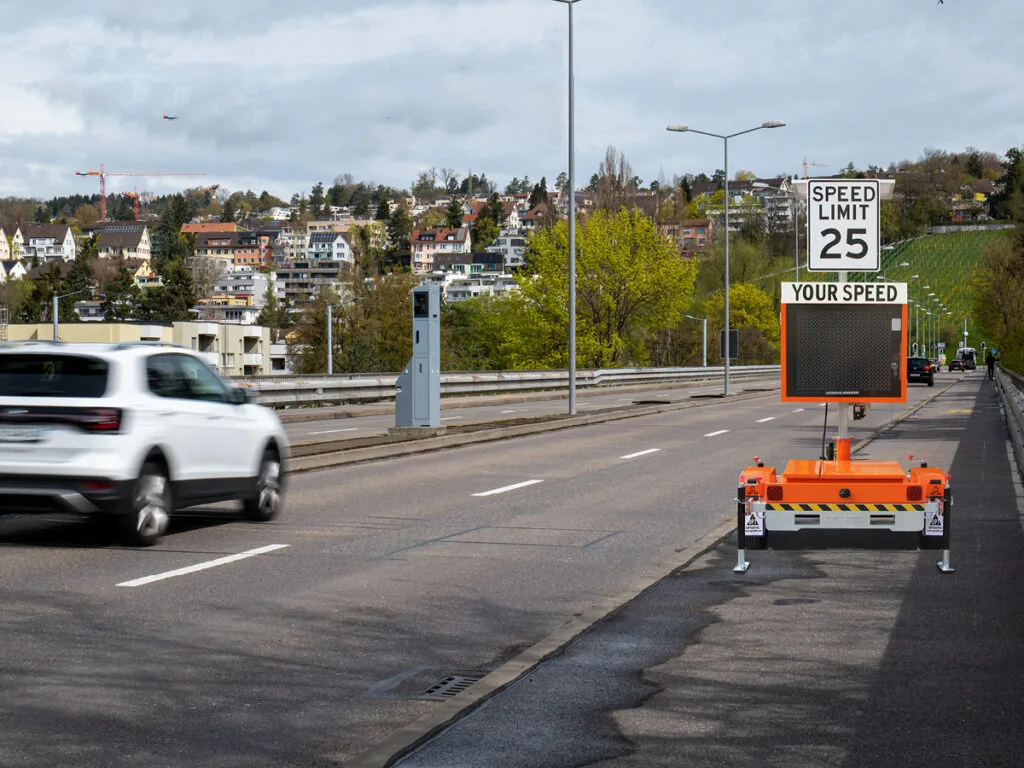
There are really two ways limiter failures get documented in the wild. Either the system records it on its own in real time, or people write it up after the fact. Manual notes have their place, but from a legal and insurance angle, automated logging is usually far more defensible.
In practice, the best setups use automation for the core evidence and manual reporting for extra context and explanation.
Automated Telematics-Based Logging
In an automated environment, your telematics system watches for limiter conditions all the time. Once something falls outside the rules you set, it creates a speed limiter incident report on its own with all the core data tied in.
On most modern platforms, automated logging can include:
- Real-time detection – Any time the vehicle exceeds the limiter setting while the limiter flag is active, or a limiter fault code appears, the system logs an event without waiting for a human to notice.
- Automatic incident timestamp – Timestamps are recorded directly by the system clock, which removes the temptation or suspicion of backdating.
- Consistent data fields – VIN, driver ID, GPS coordinates, speed, fault codes, and limiter settings all flow from the same source, which keeps formats and naming aligned.
- System-managed chain of custody – Access logs, export histories, and permissions sit inside the platform, which supports your chain‑of‑custody story.
- Telematics data forensic export – Often there is a single button or menu option that generates a full forensic export you can hand straight to lawyers, insurers, or regulators.
- Litigation hold data support – You can tag events or vehicles so that related data will not be auto‑deleted during routine retention cycles.
Platforms offering a Resolute Dynamics failure log export or similar feature are designed for this exact scenario. One export can package incident data, speed and GPS traces, limiter flags, and cryptographic checks into something that is already close to courtroom ready.
Manual Technician or Driver Reporting
Manual reporting is what most fleets used before telematics became common, and it is still around. It leans heavily on human memory and discipline.
The usual flow looks like this:
- The driver notices the limiter not engaging, cutting out, or allowing higher speed than expected.
- The driver tells dispatch or fills out an incident note, sometimes at the end of the shift.
- A technician picks up the complaint later and documents findings in a shop or maintenance system.
- A manager pulls those scraps together if a legal or insurance issue arises.
Manual processes can capture good narrative detail. They also come with real weaknesses that matter in disputes:
- Delayed and incomplete – Drivers are often tired by the time they write things up, and exact speed, location, and time get fuzzy or rounded.
- Subjective – Descriptions vary widely. “It felt like” or “maybe about 70” are the kind of phrases that opposing counsel loves to pick apart.
- Greater dispute potential – If the only record is a handwritten note or a basic shop comment, it is much easier for the other side to question or misinterpret.
- Higher admin load – Someone has to chase drivers for forms, retype handwritten notes, and make sure everything lands in the right place.
So manual reporting still has a job, but mainly for driver narrative, technician observations, and color. It should back up automated logs, not stand in for them.
Comparison Table: Automated vs Manual Failure Logging
The table below lays out how automated logging stacks up against manual reporting on the points that matter in legal and insurance work.
| Aspect | Automated Telematics Logging | Manual Technician/Driver Reporting |
|---|---|---|
| Incident timestamp accuracy | Precise, system‑generated to the second with synced clocks | Approximate, often rounded or based on rough driver recollection |
| Data completeness | VIN, driver ID, GPS, speed, and codes captured as part of every event | Speed, exact location, and technical codes often missing or guessed |
| Chain of custody | Platform automatically logs access, changes, and exports | Usually undocumented unless you bolt on extra processes |
| Tamper detection | Integrated tamper detection log and automated alerts | Relies on visual checks, notes, and human follow‑through |
| Insurance & legal readiness | Standardized, one‑click export packages for claims and litigation | Requires manual compilation that may be inconsistent or incomplete |
| Operational workload | Low day‑to‑day workload once configured | High workload, depends on people remembering to document events |
| Risk of disputes | Lower, because objective data supports your story | Higher, because subjective notes are easier to attack |
From a pure risk and cost angle, putting money into solid automated logging is usually far cheaper than absorbing the downtime cost of failure plus legal fees, brand damage, and premium hikes after a major event.
Step-by-Step: How to Log a Speed Limiter Failure for Legal & Insurance Use
Every fleet runs different hardware and software, but the core process for creating a strong evidence trail is the same. The steps below focus on logging and evidence handling, not on how to actually diagnose the failure in the shop.
Step 1: Capture the Incident Automatically (If Possible)
- Configure your telematics platform to flag limiter anomalies such as over‑speed with limiter active, limiter fault codes, or sudden configuration changes.
- Verify that the standard event payload includes VIN, driver ID, GPS location, speed, limiter setting, and any relevant fault codes.
- Turn on alerts so your safety or compliance team sees limiter incidents promptly, not days later in a report.
Step 2: Create or Complete the Fleet Incident Report
- Open your fleet incident report template and tie it to the correct incident ID from your telematics or maintenance system.
- Check and complete all mandatory fields:
- System‑generated incident timestamp and any relevant time zone detail.
- Full vehicle and driver identifiers, cross‑checked against dispatch records.
- Failure event code with a short, factual summary of what triggered the report.
- Location and speed details taken from telematics, not guesswork.
- Ask the driver for a short description of what they saw or felt and add it in a clearly labeled narrative section.
Step 3: Export Telematics and Limiter Data
- Use your telematics or limiter management system to run a telematics data forensic export for a defined time window around the incident, commonly 15–60 minutes on each side.
- If your setup supports it, generate a Resolute Dynamics failure log export that bundles:
- Core event and incident data.
- Speed, GPS, and limiter state traces over time.
- Fault codes and any tamper detection log entries.
- Save these exports directly into a dedicated, secure evidence folder specific to that incident ID, not in personal email or local drives.
Step 4: Secure the Evidence and Record Chain of Custody
- Move or save all related files, including PDFs, CSVs, native exports, and photos, into your tamper‑evident storage system such as WORM or audited cloud storage.
- Update your chain‑of‑custody record to show:
- Who created or downloaded each export.
- Where each file is stored and under what folder or case identifier.
- Any access or copies that have occurred so far.
- Generate and store digital signatures or checksums for key files, and record those values in the incident record so they can be verified later.
Step 5: Document Maintenance and Corrective Actions
- Link the incident to existing maintenance records, including function tests, prior limiter complaints, and any open work orders.
- Document the follow‑up work:
- High‑level technician assessment, such as “wiring fault confirmed” or “module replaced under warranty.”
- Corrective actions completed, including parts, software changes, and final test results.
- Vehicle status decisions, specifically who declared it safe to return to service and at what date and time.
- Make sure every maintenance or corrective action entry is timestamped and tied to an individual user or technician ID.
Step 6: Prepare Packages for Insurance or Legal Teams (If Needed)
- If the incident is connected to a crash, complaint, or regulatory inquiry, assemble a package containing:
- The incident report as a PDF from your fleet incident report template.
- All relevant telematics and limiter data exports, including the telematics data forensic export and, where used, the Resolute Dynamics failure log export.
- Maintenance, training, and policy records that support how you manage limiters fleet‑wide.
- Transfer this package through your insurer’s secure upload portal or as instructed by your legal counsel, avoiding unencrypted email wherever possible.
- Apply a legal hold requirement on all related limiter, incident, and telematics data, so nothing is deleted or overwritten under normal retention rules while the matter is active.
Common Mistakes in Speed Limiter Failure Logging (and How to Fix Them)
Even fleets that take safety seriously slip up on documentation. The same handful of mistakes show up over and over and end up hurting their legal and insurance position. Getting these under control early will save you grief later.
Mistake 1: Treating Logs as “Internal Only” Notes
Problem: Many teams write incident notes like they are just for the file, with casual language, guesses, and side comments. Those notes often end up in discovery or handed to an adjuster.
Fix: Train everyone that any speed governor failure report may eventually be read out loud in a courtroom. Stick to facts. Keep speculation, opinions, or blame out of the incident record and, if needed, put analysis in a separate, clearly marked document.
Mistake 2: Missing or Inaccurate Timestamps
Problem: Handwritten times like “around 4 pm” or entries created days later are easy for an opposing expert to attack.
Fix: Use system‑generated incident timestamp fields based on NTP‑synced clocks as your primary source. If you must record manual times, label them as estimates and explain where they came from, such as “driver estimate” or “shop clock.”
Mistake 3: No Clear Chain of Custody
Problem: Data is exported to laptops, emailed around, and saved in personal folders with no tracking. That opens the door to claims that the data was manipulated.
Fix: Put a simple but strict digital evidence chain of custody procedure in place. One central storage location, logged access, no ad‑hoc “just email it to me” transfers when evidence is involved.
Mistake 4: Incomplete Telematics Exports
Problem: Fleets often hand over a screenshot of a dashboard instead of exporting the underlying raw data. That looks thin and limits what experts can do.
Fix: For every limiter event under scrutiny, run a full telematics data forensic export that captures raw values for speed, limiter flags, GPS, engine data, and codes over a generous time window. Screenshots can be added as visuals, but they should never replace the raw export.
Mistake 5: Mixing Diagnostic Detail with Legal Logs
Problem: Some shops cram every troubleshooting step, hunch, and part swap into the same incident log. That can create confusion and expose internal back‑and‑forth that lawyers latch onto.
Fix: Use the incident log to record that diagnostics were done, by whom, and what the outcome was. Keep the line‑by‑line diagnostic process in your technical system. For the technical work itself, follow a separate diagnose the failure procedure.
Mistake 6: Ignoring Retention and Litigation Hold Requirements
Problem: Automatic data cleanup or short retention windows wipe out key logs before a claim or lawsuit develops. That can look like spoliation even if it was unintentional.
Fix: Establish retention rules that keep safety‑critical data long enough to cover local statutes of limitation. Back that up with a defined litigation hold data process so, after a serious event, limiter, telematics, and incident data is flagged for extended retention and excluded from routine purges.
Mistake 7: Not Logging Failures Discovered During Routine Checks
Problem: A limiter fails during a shop function test or a compliance audit, the tech fixes it on the spot, and there is no incident record. You lose the chance to spot patterns or show proactive control.
Fix: Any limiter failure that shows up in the shop or during testing should be logged as its own incident, even if it never impacted a live trip. In other words, log the failure during diagnosis: log failure during diagnosis. That creates a paper trail proving you catch and correct issues before they lead to crashes.
FAQ: Legal and Insurance Questions About Speed Limiter Failure Logs
The same questions come up from fleet managers, legal teams, and insurers. Here are straight answers that fit most real‑world operations, with the understanding that your local regulations and contracts may add extra requirements.
How long should we retain speed limiter failure logs?
Most fleets hold on to safety‑critical logs somewhere between 3 and 7 years. That is usually long enough to cover common statutes of limitation for personal injury and property damage. Talk with your legal counsel, get a written policy, and make sure your systems can enforce it, including honoring litigation hold requirements when a serious incident occurs.
Who should have access to speed limiter failure records?
Access should be limited to people who genuinely need it to do their job. That normally includes safety and compliance staff, legal or risk management, claims handlers, and a few senior operations managers. Technicians and drivers may need to see records tied directly to their work, but very few people should have edit rights, and all access should be logged.
What format should we use for regulatory submissions?
Follow your local regulatory submission standard for electronic safety and event data. Many authorities accept CSV, XML, or structured PDF as long as the fields are clearly labeled, time formats are consistent, and each incident carries a unique ID. If you design your internal reports to match that standard from day one, you will not be scrambling to reformat during an investigation.
How do we export logs for our lawyers or external experts?
Use your platform’s telematics data forensic export or a dedicated legal export feature such as a Resolute Dynamics failure log export. The goal is a package that includes raw data, readable summaries, and hash values for verification. Share those packages through encrypted media or secure portals instead of standard email.
What happens if our logs are incomplete during litigation?
If you show up with missing timestamps, inconsistent fields, or no chain‑of‑custody trail, the other side may argue that evidence was mishandled or destroyed. Courts can draw adverse inferences that hurt your defense and increase settlement pressure. A disciplined logging process dramatically reduces that risk.
Do we need digital signatures on every incident report?
You may not be legally required to use digital signatures in every jurisdiction, but from an evidentiary standpoint they are a smart move. Digital signatures and checksums prove that an incident report has not been changed since it was signed, which boosts your credibility in court, arbitration, or with insurers.
Are we required to share limiter logs with regulators after an incident?
In serious crashes or significant speed‑related violations, regulators often have the authority to request or compel production of limiter and telematics logs. Exact rules vary by region and sector, so check your local regulations. Having your data already sitting in a regulator‑ready format will make that process quicker and show that your fleet is cooperating in good faith.
Should we log “near-miss” limiter issues that did not cause a crash?
Yes. Near‑miss limiter failures are valuable early‑warning signs. Logging them helps you spot patterns, prove you act on issues, and build a record that shows proactive safety management. If one of those “near misses” later ties into a major event, you will be glad you have that history.
Final Summary and Next Steps
Speed limiter failures are not just shop problems. They are events that can reshape legal exposure, insurance costs, and your reputation if they coincide with a crash. Treat each incident like evidence from the start. Capture precise data, protect it with a strong digital evidence chain of custody, and keep it in formats that hold up under legal and regulatory scrutiny.
Use your fleet incident report template as the backbone. Build in the fields we covered, tie it directly to your telematics exports, and wrap it with clear rules for retention, litigation holds, and access control. That turns routine incident logging into a defensible evidence system.
To cut down the number of failures you have to document in the first place, pair solid logging with strong technical controls:
- Follow proven methods to diagnose the failure when limiters misbehave.
- Understand the downtime cost of failure so you can justify investments in better equipment and processes.
- Apply robust tamper evidence measures so bypass attempts are obvious and documented.
- Run a structured compliance audit program to keep installs, settings, and maintenance aligned with your policies.
If you align your logging and documentation habits with legal and insurance expectations now, you give your fleet a stronger, more defensible position whenever a serious incident lands on your doorstep later.
Related reading: What Causes a Speed Governor to Malfunction.

The Resolute Dynamics team designs and manufactures speed limiters (SLD), GPS tracking, and automotive safety systems used on 200,000+ vehicles across 20+ countries. We write about fleet compliance, road-safety regulation, and vehicle-safety technology, including Malaysia’s JPJ SLD mandate, UAE RTA rules, and global standards like UN R89, to help fleet operators and transport businesses stay safe and compliant.