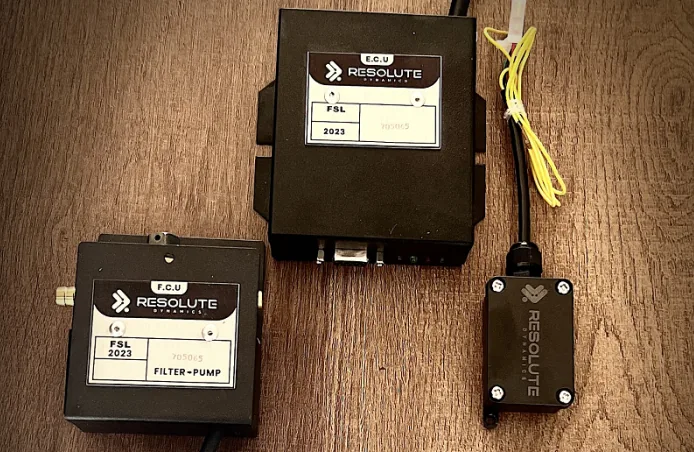
TL;DR: Trusting drivers to catch and report speed limiter problems works on a couple of trucks. It falls apart on a real fleet. A telematics-based smart alert system watches your speed governors nonstop, flags failures, tampering, and calibration drift in real time, and automatically notifies the right people before you end up with compliance gaps, unsafe units on the road, or awkward conversations with inspectors and lawyers. Pair this with real-time GPS fleet tracking for full visibility.
Key Takeaways
- Relying on driver reports is a reactive approach that misses most real-world limiter problems. Telematics-based real-time speed limiter monitoring fills in those blind spots and gives you hard data instead of gut feel.
- A serious speed limiter alert system should cover limiter disengagement, tampering attempts, GPS loss, CAN bus disconnect, overdue calibration, and speed violations that slip past an “active” governor.
- Smart alerts lean on threshold-based notification, anomaly detection alerts, and predictive failure alerts, not just a basic “on/off” fault light.
- Good alerting ties together a central fleet management dashboard, a mobile alert application, email, and SMS, all structured with clear alert escalation workflows so nothing critical gets buried.
- To prevent alert fatigue, you need filtering, prioritization, aggregation, and suppression rules that understand maintenance status and real operating conditions.
- Resolute Dynamics Connect uses a real-time alert engine that reads CAN bus and GPS data to drive accurate, low-noise fleet telematics speed governor alerts.
- Smart telematics alerts support regulatory compliance, improve legal defensibility after crashes or inspections, and plug directly into maintenance and failure logging from alert workflows used for legal and insurance reports.
What Is Telematics-Based Smart Alerting for Speed Limiters?
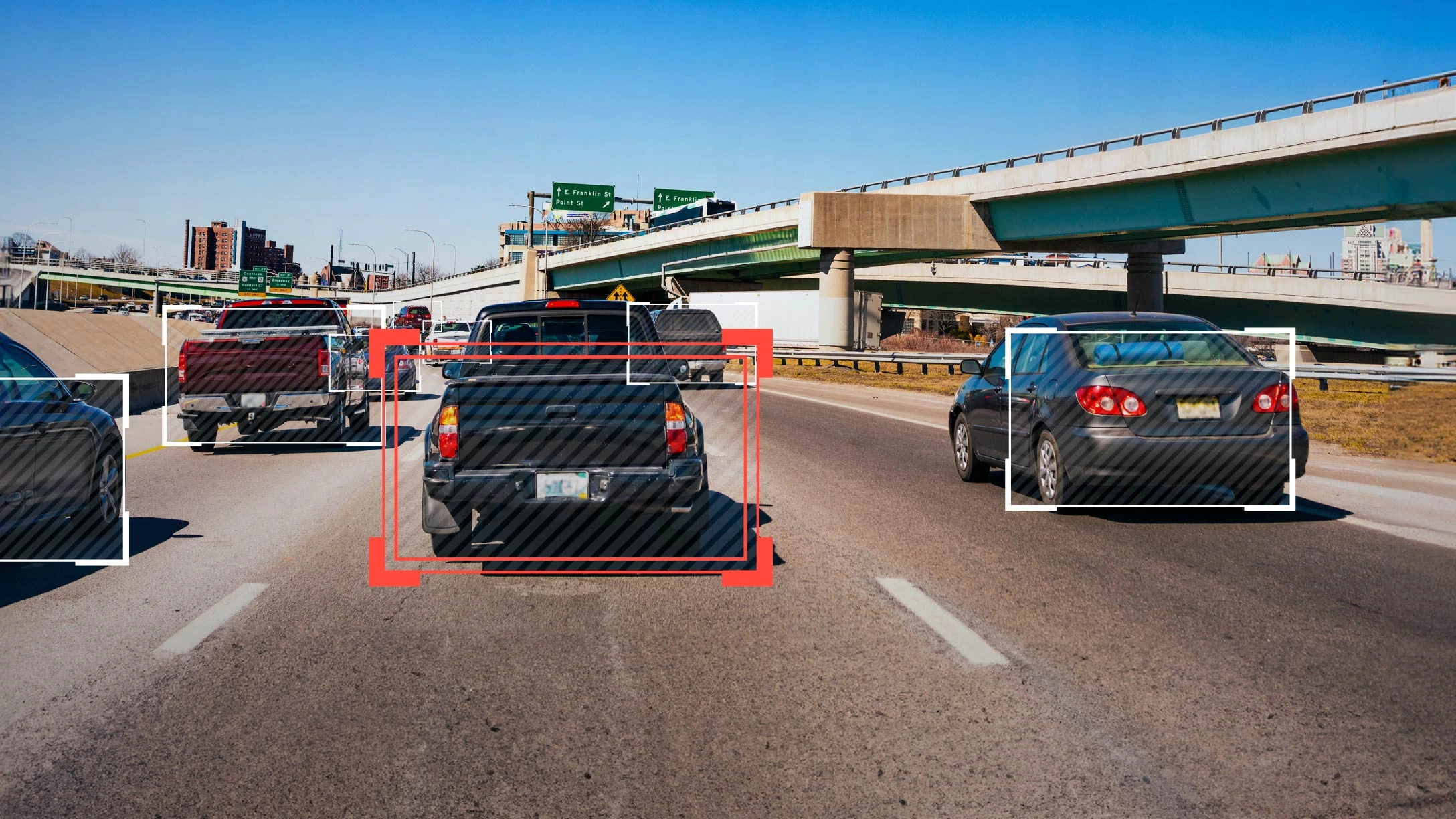
Telematics smart alerts for speed limiters are automated notifications that fire when your vehicles’ speed governors stop behaving the way they should. A connected unit pulls data like speed, GPS, CAN bus signals, and limiter status, feeds it into a compliance monitoring engine, and then pushes real-time alerts to your dashboard, mobile app, email, or SMS whenever rules are broken, tampering is suspected, or a failure is predicted before it goes hard-fault.
Why Reactive Speed Limiter Monitoring Fails at Fleet Scale
On paper, asking drivers to report limiter issues sounds reasonable. In the real world, you will miss more than half of what is actually wrong. Drivers are watching traffic, hours-of-service, dispatch changes, and everything else. Spotting subtle calibration creep or a limiter that only drops out on long grades is not going to be top of mind.
With four or five trucks, a seasoned driver might say, “Hey, this thing is pulling a bit quicker than usual,” and walk into the office. Once you are running dozens or hundreds of units spread across multiple depots and regions, that model breaks. You are now betting safety and compliance on:
- Every driver noticing minor limiter changes early, not months later.
- Every driver actually understanding how the speed limiter is supposed to behave.
- Every driver remembering to report the issue, explaining it clearly, and getting it to the right person.
In practice, that chain fails all the time. The problems that reactive monitoring almost always misses include things like:
- Silent failures – the dash or diagnostics say the limiter is “on”, but the truck still creeps past the programmed speed under certain conditions such as downhill runs, cruise control, or specific gear and load combinations.
- Intermittent engagement – the governor works 95% of the time, then lets the speed rise on hot days, heavy loads, or in a narrow RPM band that only shows up on certain routes.
- Calibration drift – over thousands of miles, small offsets between GPS speed and wheel-speed readings grow into a serious compliance gap that nobody “feels” from the seat.
- Undetected tampering – harnesses unplugged and plugged back in, bypass devices, or unauthorized firmware changes that only show odd behavior in edge-case driving scenarios.
Without reliable real-time alert triggers from telematics, these issues typically stay hidden until you get a wake-up call:
- A roadside inspection finds a vehicle that is clearly not honoring its limiter settings.
- Download data after a collision shows the truck exceeding programmed limits when it mattered most.
- An internal audit flags inconsistent speed data or limiter status across vehicles that should be identically configured.
Telematics-based smart alerts flip that around. A device monitors speed, GPS, CAN bus signals, and limiter status every second and feeds them into a compliance monitoring engine. When thresholds are hit or odd patterns show up, the system generates speed limiter failure notifications immediately. You find out before an inspector, claims adjuster, or attorney does, and you have a record that you acted on it.
For deeper discussion of how GPS and limiter data line up to power these alerts, see:
8 Critical Speed Limiter Alerts Every Fleet Should Configure
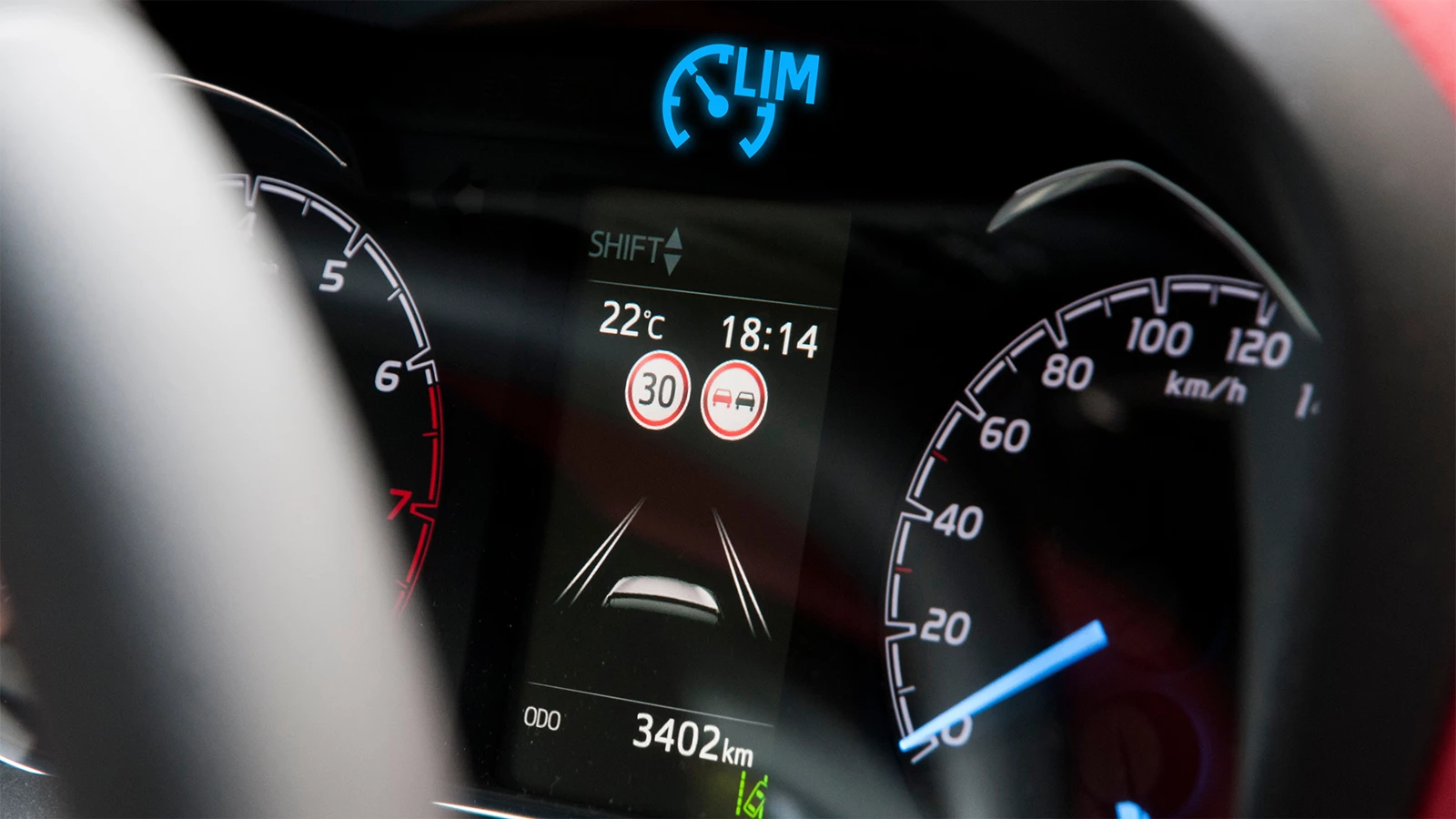
A modern telematics system can spit out hundreds of different event types. For speed limiter health, you do not need all of them. You get most of the real value from eight core alert categories. Standardize these across the whole fleet as part of your speed limiter alert system, bake them into policy, and you will be ahead of most operators on the road.
1. Governor Disengagement Alert
What it is: An alert that fires when the speed governor is detected as “off” or not actively controlling speed while the vehicle is moving above a threshold you define.
Typical triggers for fleet telematics speed governor alerts in this bucket include:
- The limiter status flag flips to “inactive” while vehicle speed is greater than the configured limiter (for example 65 mph / 105 km/h).
- The limiter status reports “unknown” or stops reporting at all while the vehicle is moving above a safety threshold like 50 mph / 80 km/h.
This alert covers two big risks that you will not spot from a quick glance at a truck:
- Unintentional disengagement – software bugs, wiring faults, failing ECUs, or power problems that knock the limiter out without anyone touching a thing.
- Unauthorized overrides – someone defeats or switches off the governor on a trip even though policy forbids it, then switches it back on before coming into the yard.
The Resolute Dynamics Connect alert engine correlates actual road speed, the limiter status byte on the CAN bus, and driver profile to generate a real-time alert trigger as soon as disengagement happens. That event shows up as a flagged dashboard alert with priority, and your rules can automatically escalate it if the vehicle keeps moving in that state.
2. Tamper Detection Alert
For deeper tamper detection detail on seal types and physical-layer evidence, see our seals guide.
What it is: A speed governor tamper alert that fires when signs point to someone trying to bypass, unplug, or reprogram the speed limiter.
Modern telematics hardware and the built-in tamper detection system in Resolute Dynamics Connect can watch for telltale signs such as:
- Sudden loss of CAN bus messages specifically from the limiter ECU while everything else on the bus keeps talking normally.
- Weird voltage patterns on the limiter power line, like quick on/off cycles that match someone unplugging and reconnecting connectors.
- Unauthorized firmware updates or parameter changes showing up in ECU logs, with no matching work order or technician record.
- Sensors that detect broken tamper-proof seals or an opened enclosure, if your hardware supports it.
This kind of tamper detection notification should be treated as top priority. For many fleets it is not just a mechanical problem, it is a disciplinary and safety issue. The alert should go straight to a fleet manager and compliance officer and often into HR or safety review. For practical guidance on physical tamper prevention, see:
3. GPS Signal Loss Alert
What it is: An alert that fires when GPS data disappears while the vehicle is clearly moving. That gap can hide speeding events and stop you from doing accurate compliance checks.
To build a reliable GPS signal loss alert, the system typically watches for:
- Movement detected through CAN or accelerometer data, but no valid GPS position for a defined number of minutes.
- Frequent switching between “GPS fix” and “no fix,” which usually points to antenna issues, damaged cables, or blocked line-of-sight.
Because GPS is often your reference for speed verification, route-based rules, and geofencing, losing it also breaks other tools you may rely on, including:
- Geofence compliance alerts such as speed rules around schools, depots, terminals, or customer yards.
- Route or region specific speed compliance, like special restrictions in certain states, provinces, or urban zones.
You do not want a stream of low-level GPS flicker messages. The Resolute Dynamics Connect alert engine can roll those into a single, more useful GPS signal loss alert with context such as last known position, typical route, and which antenna or device is affected. For detailed troubleshooting of how GPS sync triggers alerts and how to fix them, see:
4. CAN Bus Disconnect / Device Offline Warning
What it is: An alert that fires when the telematics unit or limiter loses connection to the vehicle CAN bus, or the device goes offline, leaving you blind to limiter behavior.
A good CAN bus disconnect warning looks at more than a simple “device offline” flag. It checks for:
- Loss of all or most CAN messages even though the ignition is on and the vehicle appears to be active.
- Telematics device power cycling, long periods with no heartbeat, or repeated crashes.
- Partial bus visibility where only some ECUs show up, which might mean a wiring fault, bad splice, or an added aftermarket module causing trouble.
This is not just an IT problem for someone in a back office. If your real-time speed limiter monitoring is not working, then as far as regulators and lawyers are concerned, you cannot prove that you were managing limiter compliance when something went wrong. Pairing this alert with a clear alert escalation workflow ensures someone is tasked to fix connectivity quickly, not “when they get around to it.”
5. Calibration Overdue Reminder
What it is: A calibration overdue reminder that fires when a vehicle’s limiter is past its scheduled calibration date, mileage, or working hours based on your policy or regional standards.
Lots of fleets still track calibration in spreadsheets or wall calendars. That works until somebody forgets to update it after a PCM swap or odometer change. Folding calibration rules into your compliance monitoring engine lets telematics handle that admin automatically:
- Time-based rules, such as calibration required every 12 months.
- Mileage-based rules, for example every 100,000 miles or whatever your local standard demands.
- Usage-based adjustments so vehicles on heavy-duty routes, mountain passes, or harsh conditions have shorter calibration intervals.
Smart calibration reminders should behave like a ramp, not an alarm siren from day one:
- Start as low-priority dashboard notifications when the due date is approaching.
- Escalate to a higher severity once the grace period is used up and the unit is technically out of spec.
- Sync to your maintenance planning tools so work orders can be generated and assigned, not just “noted.”
For more comprehensive discussion of calibration schedules and best practices, refer to:
6. Speed Violation Anomaly Alert (Limiter Active but Speed Exceeded)
What it is: An alert that fires when the vehicle goes above its configured limiter speed while the limiter still reports “active.” This is one of the most telling anomaly conditions you can track.
This type of speed violation anomaly uses anomaly detection alerts rather than a single hard threshold. The system looks for:
- Cross-checks between limiter configuration, ECU-reported speed, and GPS speed to see if the truck is really being held where it should be.
- Repeated peaks above the allowed speed while the limiter claims to be engaged, which points to something more serious than a one-off downhill overspeed.
- Persistent inconsistencies between different speed sources that suggest the limiter is relying on bad data.
These alerts are usually early signs of deeper issues such as:
- Limiter miscalibration or faulty sensors, like wheel speed sensors drifting from GPS or from each other.
- Firmware bugs where specific conditions cause the limiter logic to fail.
- Sophisticated tampering where someone is feeding false speed data into the system to trick it.
From here, most fleets kick off a diagnostic from alert workflow. That means checking configuration, sensors, wiring, and firmware versions before the vehicle returns to high-risk duty. The full diagnostic process is covered here:
7. Firmware Update Failure Alert
What it is: A notification that pops up when a remote limiter or ECU firmware update fails, partially completes, or finishes with warnings.
Any time you push firmware, whether over-the-air or in the workshop, you want to confirm three basic things:
- The update went all the way through and did not get stuck partway.
- The limiter configuration, including set point and failsafe behaviors, survived the update or was reapplied correctly.
- No new diagnostic trouble codes (DTCs) appeared related to speed control or the ECU that was updated.
A firmware update failure alert should go straight to maintenance and compliance teams. A half-updated device can behave fine on a test drive, then drop limiter control under some loads or temperatures. Inside Resolute Dynamics Connect, these show as high-priority dashboard alert priorities, and you can auto-create follow-up tickets in your maintenance system so no failed update gets forgotten.
8. Intermittent Engagement Pattern Detected (Predictive Failure Alert)
What it is: A predictive failure alert that fires when the system spots subtle patterns that suggest a limiter is heading toward failure, even though it has not yet tripped a hard fault.
This is where analytics in the Resolute Dynamics Connect alert engine earn their keep. Instead of only reacting to full failures, the platform watches for warning signs such as:
- Long-term history of limiter “on/off” cycles compared against speed, temperature, and load to find combinations that trigger tiny flickers in engagement.
- Very short drops in limiter control, sometimes only fractions of a second, that tend to show up in units that later fail completely.
- Growing difference between expected limited speed and actual speed over weeks or months, which often points to components aging out.
Instead of running trucks until the limiter fails in service and forces a roadside repair or an incident investigation, predictive alerts let you:
- Schedule proactive maintenance and swap affected parts or ECUs before they fail.
- Reassign those vehicles away from sensitive routes like schools, hazmat loads, or tight urban corridors until they are fixed.
- Capture early records that show you managed emerging risks, which can matter a lot in legal and insurance reviews.
Alert Escalation Workflows (Who Gets Notified and When)

Alerts that do not reach the right person in time might as well not exist. You need a structure that decides who gets what, how fast, and on which channel. That is what alert escalation workflows are for.
For speed limiter issues, a simple four-level model usually covers real-life needs without becoming a mess of one-off rules.
Level 1: Dashboard Notifications for All Events
Every limiter-related event should land in a central fleet management dashboard. Think of this as the nerve center and long-term record. It is where you:
- Give fleet managers a clear picture of hotspots and recurring limiter trouble.
- Let compliance officers review history, closures, and evidence of corrective actions.
- Help maintenance coordinators slot limiter work into shop capacity and plan parts.
At Level 1, alerts are tagged with a dashboard alert priority such as Info, Warning, or Critical. Users can filter by truck, region, route, date range, or alert type so they are not scrolling through noise to find what they need.
Level 2: Mobile Push for High-Priority Events
Some issues are not emergencies but still need eyes on them quickly. That is where a mobile alert application earns its keep. Push notifications can be sent to the people who can make a same-day decision without gluing them to a desk screen.
Typical recipients for Level 2 events include:
- On-duty fleet supervisors watching active runs.
- Regional operations managers responsible for daily performance.
- Workshop leads who can reshuffle bay work on short notice.
Good Level 2 candidates include things like:
- Calibration overdue by more than your comfort window, but the vehicle is not on critical service yet.
- A first-time CAN bus disconnect warning that cleared itself but needs a follow-up check at the depot.
- Non-critical firmware update failures where the limiter still appears to operate but must be verified.
The Resolute Dynamics Connect alert engine lets you pick which alerts get mobile push and under what conditions, so your supervisors do not start muting everything on their phones out of annoyance.
Level 3: SMS / Voice for Critical Safety Events
Some situations demand channels nobody ignores. That is where SMS critical alerts and automated voice calls come into play. These are meant for incidents where minutes matter, not minor housekeeping.
Common triggers that should jump to Level 3 include:
- A speed violation anomaly that is well above your set point, like 10+ mph over the limiter for more than 30 seconds.
- Confirmed tamper detection while the vehicle is still driving.
- Loss of limiter control while operating on mountain passes, steep grades, dense urban areas, or other high-risk environments.
These alerts usually go to:
- The duty safety officer who can make immediate calls on risk.
- Your fleet control or 24/7 monitoring center.
- The regional compliance manager responsible for that territory.
Many fleets also tie Level 3 alerts to playbooks, such as instructing the driver to leave a freeway at the next safe exit or routing them to a nearby terminal for inspection.
Level 4: Regulatory / Legal Notification (Compliance Breaches)
Some rulesets and internal policies require official reporting of certain limiter failures, especially if a crash, near miss, or serious roadside violation is involved. Automation will not replace legal judgment, but your system can do the heavy lifting by:
- Flagging events that may meet reporting thresholds, such as repeated tampering on regulated vehicles or limiter failure tied to an incident.
- Generating structured reports with timestamps, data snapshots, and a full audit trail of alerts and responses.
- Feeding those reports into your compliance or legal case management tools so the right people can decide the next steps.
Level 4 is usually about internal notification and record generation, not blasting external regulators by email. It gives your legal and compliance teams a clear signal that a possible compliance breach needs review.
Role-Based Escalation Logic
If you try to build different rules for every single person, it turns into a mess quickly. A better approach is to define escalation by role and assign people into those roles.
For example:
- Drivers: In-cab messages on the head unit or app notifications for events that affect them directly, such as a speed anomaly, a suspected tamper on their assigned truck, or a reminder that calibration is due soon.
- Technicians: A daily limiter work summary plus instant alerts for firmware update failures or tamper detection on vehicles they manage so they can plan bay time and parts.
- Fleet managers: Mobile and email alerts for high-severity limiter incidents across their region plus dashboard access to dig into patterns.
- Compliance officers: Weekly and monthly high-level reports, followed by real-time alerts for confirmed tampering, repeated overspeed anomalies, or other major gaps.
Resolute Dynamics Connect lets you build these escalation trees visually and map each alert type to delivery channels such as email alert fleet, mobile push notification, or SMS. That keeps the system maintainable as people change roles or new regions come online.
Avoiding Alert Fatigue (Smart Filtering and Prioritization)
Drowning your staff in alerts is almost as risky as not having alerts at all. Once people learn that half the notifications are noise, they start ignoring everything. Your aim is simple: fewer alerts, but each one more meaningful, using smart filtering and prioritization.
1. Tune Threshold Sensitivity
Start with realistic threshold-based notifications that match your risk appetite and road environment. What makes sense for city runs is different from interstate work.
- Choose sensible speed violation thresholds. Maybe you flag 3 mph over the limit in school zones and 7–10 mph on long open highways, depending on enforcement norms.
- Set a minimum duration before you raise an alert, so a single bad data point or one-second spike does not create noise.
- Define your breakpoints between a “short GPS loss” that just gets logged and a “serious GPS outage” that needs eyes on it.
Overly tight thresholds look good in a policy document and terrible in real operations. Start somewhat conservative, watch the volume and value of alerts, then slowly tighten as you see where real risk lies.
2. Aggregate Repeated Events into Summaries
One mistake I see a lot is fleets creating an alert for every single little event. You end up with a wall of notifications and nobody can tell what matters. It is better to roll similar events into summaries.
- Instead of five separate alerts, send one saying, “Vehicle 1023 exceeded limiter speed threshold 5 times in the last 30 minutes.”
- Instead of dozens of pings across units, one summary might say, “The fleet logged 12 minor limiter anomalies on Route A today.”
This kind of aggregation keeps your fleet management dashboard readable and makes it easier for managers to spot trends instead of chasing one-off blips.
3. Suppress Known-Condition Alerts During Maintenance
Vehicles in the workshop or on a dyno often generate behavior that looks suspicious from the outside. If you do not account for that, you will spam your operations team with alerts every time a tech runs a test cycle.
Use rules to:
- Suppress or downgrade speed limiter alerts when a vehicle is marked “in maintenance” or “in test mode” in your system.
- Recognize test patterns like repeated acceleration and braking cycles or speed sweeps that match your shop procedures.
Integration with your maintenance planning system and status flags in Resolute Dynamics Connect help separate legitimate in-shop activity from real-world tampering. You want tamper detection notifications for unauthorized work in the yard or on the road, not every time a technician carries out a scheduled calibration. The step-by-step calibration procedure itself is covered here: /blog/fleet-technician-calibrate-reset-speed-limiter/
4. Use AI-Based Anomaly Detection to Highlight Unusual Patterns
Simple thresholds only catch problems you already know how to describe. AI-based anomaly detection gives you another layer that spots weird behavior you might not have thought to configure in advance.
- Limiter disengagement that happens only on specific grades or routes where it normally stays rock steady.
- Vehicles whose limiter performance is degrading quicker than similar units of the same age and model.
- Clusters of related alerts coming from a particular workshop, driver group, or route that point to a systemic issue instead of random chance.
The Resolute Dynamics Connect alert engine uses historical data to create these anomaly detection alerts. It surfaces the top outliers rather than every minor quirk, keeping your team focused on the few cases most likely to matter.
5. Prioritize by Impact and Context
All limiter events are not equal. Context should drive how urgently you respond and how loud the alert needs to be.
- Vehicle type: Hazmat or passenger units deserve much tighter thresholds and faster response than a light-duty pool vehicle.
- Location: A speed violation in a school zone, city center, or site with strict customer rules should outrank the same overage on an empty rural stretch.
- History: A truck or driver with a history of limiter issues should push events higher in the queue than a first-time offender.
By feeding these factors into your rules, the system can automatically assign appropriate dashboard alert priority levels. That helps your team sort through open events and tackle the most consequential ones first.
How Resolute Dynamics Connect Delivers Smart Speed Limiter Alerts
Resolute Dynamics Connect is built for fleets that want precise limiter alerts without getting buried in junk data. It ties together raw vehicle signals, processing intelligence in the cloud, and flexible delivery channels so the right people see the right issues at the right time.
Real-Time Event Engine Reading CAN Bus and Telematics Data
At the center is the Resolute Dynamics Connect alert engine, a real-time processor that constantly consumes:
- CAN bus signals such as limiter status, vehicle speed, diagnostic trouble codes, and configuration details.
- GPS speed and position, which are key for geofencing and geofence compliance alerts.
- Device health metrics like power stability, connectivity, and sensor status.
The engine evaluates these live data streams against your rules and learned behavior patterns to trigger:
- Immediate speed limiter failure notifications when something hard-fails.
- Predictive maintenance alerts when patterns show something is headed toward failure.
- Tamper detection notifications whenever physical or digital manipulation is suspected.
Configurable Alert Rules Per Fleet Policy
No two fleets run the same routes, freight, or risk profile, so a one-size-fits-all configuration never works well. Resolute Dynamics Connect lets you tailor the system to match how you actually operate.
- Set different speed thresholds based on vehicle class, region, or even customer contracts.
- Define calibration intervals using mileage, time in service, or intensity of use.
- Map alert severity and delivery channels by role and event type so only the right people get real-time pings.
You can clone rule templates and tweak them for new regions or regulatory regimes, keeping a consistent compliance monitoring engine across the organization while still honoring local requirements.
Multi-Channel Delivery: Dashboard, Mobile, SMS, Email
For an alert to be useful, someone has to actually see it and be able to act. Resolute Dynamics Connect supports multiple paths so you have both redundancy and control over signal vs noise.
- Fleet management dashboard – your central console for live alerts, history, analysis, and trend spotting.
- Mobile alert application – push notifications and in-app views for managers, supervisors, and technicians in the field.
- SMS critical alerts – fast, attention-grabbing messages for high-urgency issues like active overspeed or confirmed tampering.
- Email alert fleet summaries – structured records of events, daily or weekly digests, and documentation for audits.
Each alert type can be wired into one or more channels inside an alert escalation workflow. Critical safety events might go to dashboard, app, and SMS, while routine calibration reminders stay on the dashboard and in email reports.
Predictive Failure and Maintenance Insights
Older systems mostly tell you that something broke after the fact. Resolute Dynamics Connect adds a predictive layer so you can get ahead of failures instead of chasing them.
- It analyzes limiter engagement and speed patterns over months, not just individual trips.
- It correlates limiter issues with factors like vehicle age, make and model, route type, or which workshop last touched the truck.
- It raises predictive maintenance alerts suggesting when to bring a vehicle in or replace components before they cause real-world trouble.
Those insights feed directly into your maintenance system and your safety and insurance documentation. That way, when you have to prove you were proactive about limiter management, you have data to back you up. For tips on logging this data for claims and investigations, see:
Hidden Advantages Most Fleets Overlook
Most people focus on safety and compliance, which is fair. But smart limiter alerts also open up a few less obvious benefits that matter in the long run.
- Training opportunities: If the same drivers keep triggering limiter alerts, that is a signal for targeted coaching on speed discipline, policy awareness, or route planning.
- Vendor quality control: Comparing limiter-related failures across hardware brands or installation vendors helps you choose more reliable partners and holds them accountable.
- Contract enforcement: Many customer contracts include promises about speed behavior in certain zones or time windows. Smart alerts and logs give you proof that you met those commitments or show exactly what happened when something went off script.
FAQ: Smart Telematics Alerts for Speed Limiter Issues
Below are answers to common questions fleets ask before rolling out a telematics-based smart alert system for speed limiter monitoring.
Are smart speed limiter alerts difficult to configure?
Most modern platforms, including Resolute Dynamics Connect, come with prebuilt limiter alert templates. You choose basic parameters like vehicle categories, regulatory region, and how aggressive you want your thresholds to be, then fine-tune from there. The part that takes the most thought is mapping your alert escalation workflow so each event type goes to the right people on the right channels.
What does a comprehensive alerting platform typically cost?
Pricing usually follows a per-vehicle monthly subscription for core telematics, with an incremental cost for advanced alerting and analytics. Exact numbers depend on fleet size, hardware type, and how deep you go with integrations. In practice, the subscription is often offset by fewer fines, fewer incidents, better calibration compliance, and more efficient maintenance planning.
Can smart limiter alerts integrate with my existing fleet software?
Yes. A solid platform exposes APIs and built-in connectors for common fleet management, maintenance, HR, and safety systems. Resolute Dynamics Connect supports this kind of integration so limiter alerts can automatically open work orders, attach events to driver files, log safety incidents, or populate your compliance dashboards without manual re-entry.
How fast are real-time limiter alerts delivered?
Under normal network coverage, telematics-based limiter alerts are generated and delivered within seconds of the triggering condition. The Resolute Dynamics Connect alert engine processes CAN and GPS feeds in real time and then routes notifications to dashboard, mobile, email, or SMS based on your configuration.
How do I know if my alert system is actually working?
You can measure effectiveness by tracking metrics such as average alert-response time, trends in speed-related incidents, calibration compliance rates, and how many limiter issues are first discovered by telematics compared to driver reports. Periodic audits of alert logs, work orders, and closure notes help confirm that issues are not only detected but properly resolved.
Will my drivers see these alerts too?
That depends entirely on your policy. Many fleets give drivers a limited view, such as in-cab prompts for upcoming calibration, or a message asking them to acknowledge when a limiter tamper suspicion is raised. More technical alerts, like firmware update failures or CAN anomalies, usually stay with managers and technicians to avoid confusing the driver with information they cannot act on.
Can smart alerts help after a crash or inspection?
Yes. Historical alert logs are often a key part of showing that you monitored limiter performance and took action when issues surfaced. During regulatory reviews, insurance claims, or legal proceedings, those records help demonstrate that you had policies, monitoring, and response workflows in place instead of leaving limiter health to chance.
Do alerts stop working if GPS or CAN bus is lost?
Some alert types need GPS or CAN to function, so they are limited if those signals drop. But the system should immediately generate its own GPS signal loss alerts and CAN bus disconnect warnings so you know your view has gone partially blind. That way, you can prioritize fixing connectivity rather than assuming the absence of alerts means everything is fine.
Final Summary and Next Steps
On a real-world fleet, depending on drivers and occasional inspections will not keep your speed limiters fully compliant, safe, or defensible. A telematics-driven speed limiter alert system powered by the Resolute Dynamics Connect alert engine gives you real-time speed limiter monitoring, tamper detection, calibration reminders, and predictive failure alerts, all organized with clear alert escalation workflows.
The payoff is simple: fewer blind spots, fewer surprises at roadside checks or in courtrooms, and a stronger safety culture backed by data instead of guesswork. Your next move is to look at where your current limiter monitoring falls short, decide which of the eight core alert types you need to deploy first, and map out who should receive each notification on which channels. From there, your telematics platform can roll out smart alerts across the fleet in a structured, scalable way.
When you are ready to dig deeper into diagnostics or GPS synchronization after alerts fire, take a look at these related resources:
Related deeper reading: Not Engaging Diagnostic and GPS Sync Issues.

The Resolute Dynamics team designs and manufactures speed limiters (SLD), GPS tracking, and automotive safety systems used on 200,000+ vehicles across 20+ countries. We write about fleet compliance, road-safety regulation, and vehicle-safety technology, including Malaysia’s JPJ SLD mandate, UAE RTA rules, and global standards like UN R89, to help fleet operators and transport businesses stay safe and compliant.